For you

Your data, protected everywhere you use AI.

Paste into a chatbot or type in your browser: Quieta masks your sensitive data before it leaves your machine, then restores your real values in the answers. Anonymous to the AI, reversible for you.

100% local

Free desktop app for macOS and Windows.

No account, no card.
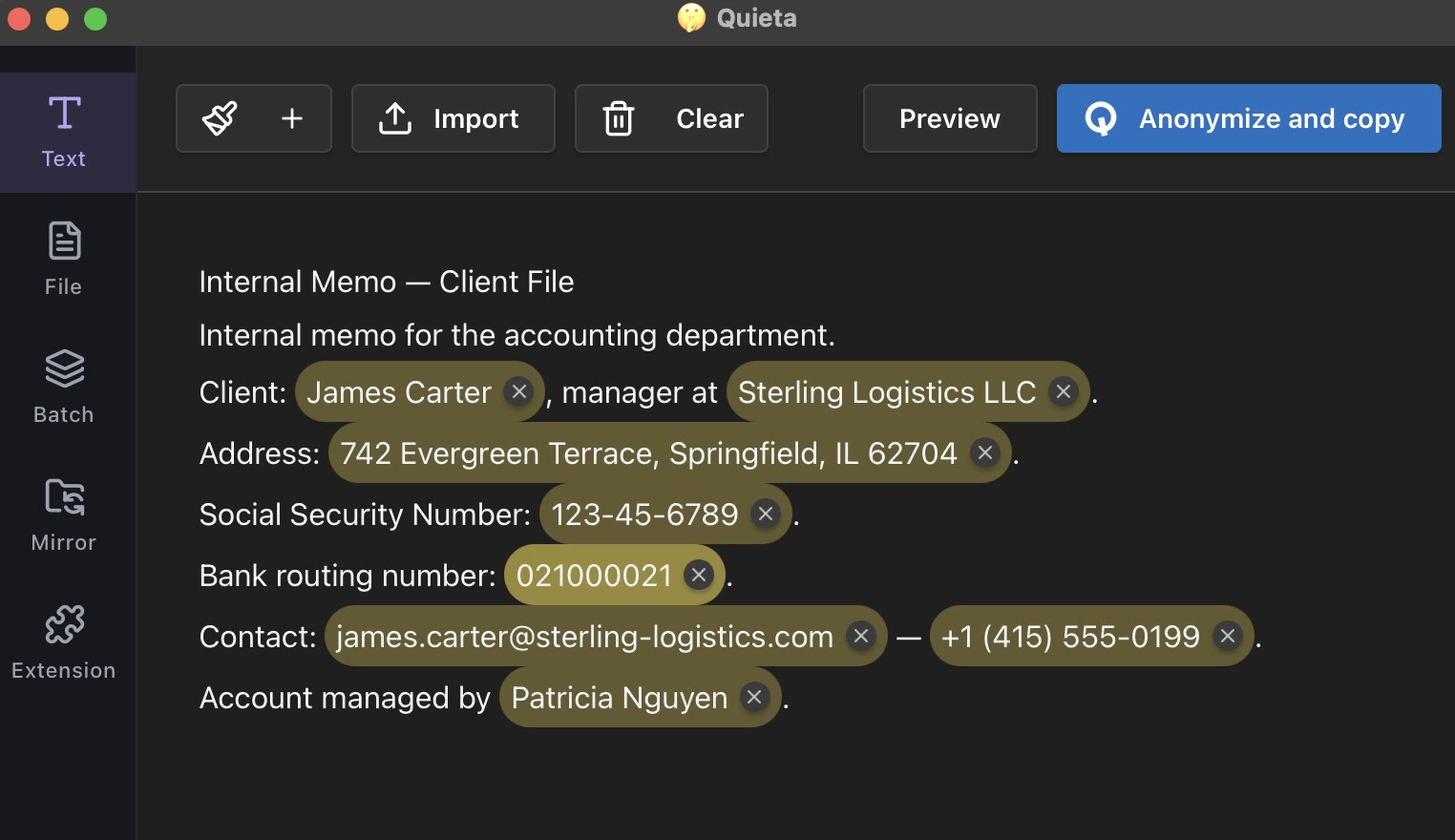
The Quieta app highlights the sensitive data in a client memo (name, address, Social Security number, bank routing number, email, phone) before masking it.
Two ways in

Your clipboard and your browser, covered.

Your clipboard

Copy your text, and Quieta masks your sensitive data before you paste into ChatGPT, Claude or any app. When the answer comes back, your real values are restored locally. Works with any app that has a clipboard.

Your browser

The Chrome extension protects what you type into AI in your browser, as you type it. Names, emails and numbers are masked on the way out and restored in the reply, without leaving the page.

How it works

Three steps, and your data never leaves your machine.

01

Local detection

Names, clients, addresses and IDs, found on your machine.

02

Masking before anything is sent

Each sensitive value becomes a pseudonym. Only pseudonyms reach the AI.

03

Local restore

Pseudonyms flip back to your real values, which never left.

The myth

"Private mode" doesn't mean private.

A chatbot's private mode promises one thing: your conversation won't be used to train the AI. Your data still travels to third-party servers, gets processed, sometimes stored. "Private" doesn't mean "it stayed with you." Quieta is different: your sensitive data is masked before it ever leaves your machine.

Compatibility

Works with your tools.

Universal by design.
Any app where you can paste text.
Web AI
CChatGPT CClaude.ai GGemini PPerplexity DDeepSeek MMistral Vibes

More integrations coming.

Pricing

Start free. Upgrade when you need more.

Free to start. 50 masks a month, no account, no card.

Free
0 €/ month

Clipboard masking, on your machine, forever.

Plus
7 €/ month

Adds the browser extension and document support.

See full pricing

Professional confidentiality doesn't end when you open an AI.

You stay responsible for what you share. Quieta lets you use AI without breaking that duty.

FAQ

Your questions, answered.

No. Detection, masking and restoring all run on your machine. There is no proxy and no cloud step; unplug your Wi-Fi and Quieta keeps working.
Because it ships with a complete AI model that runs locally on your machine to detect and mask your sensitive data. That model is stored on your disk and never sent anywhere, and it is what makes the whole thing work with no cloud dependency. The trade-off is size: one download, no ongoing data transfer after that.
Yes, on macOS and Windows. Quieta is a desktop app; there is no mobile version. The browser extension covers the AI you use in Chrome.
An on-device AI spots sensitive data by context, on your machine. It recognizes names, clients, addresses, identifiers and more, even ones it has never seen before, with no predefined list.
Names, emails, phone numbers, addresses, client names, internal references and other identifiers.
Yes. You can force certain terms to always be masked (a blocklist), like a client name or a codename, and exclude others so they stay untouched (an allowlist), like your own company. The lists stay on your machine.
Technically, Quieta pseudonymizes: each real value maps to a pseudonym, and the mapping stays on your machine. That is what keeps it reversible for you and useless to anyone else.
Pseudonyms in the answer flip back to your real values, locally. You read the result as if nothing had ever been masked.
No. You copy, Quieta masks on the way, you paste; restoring the real values in the answer is just as instant, locally.
No account to create. We only ask for your email to send your license key, free plan included.

Work with AI without exposing your data.

Wherever you work with AI, Quieta is with you.