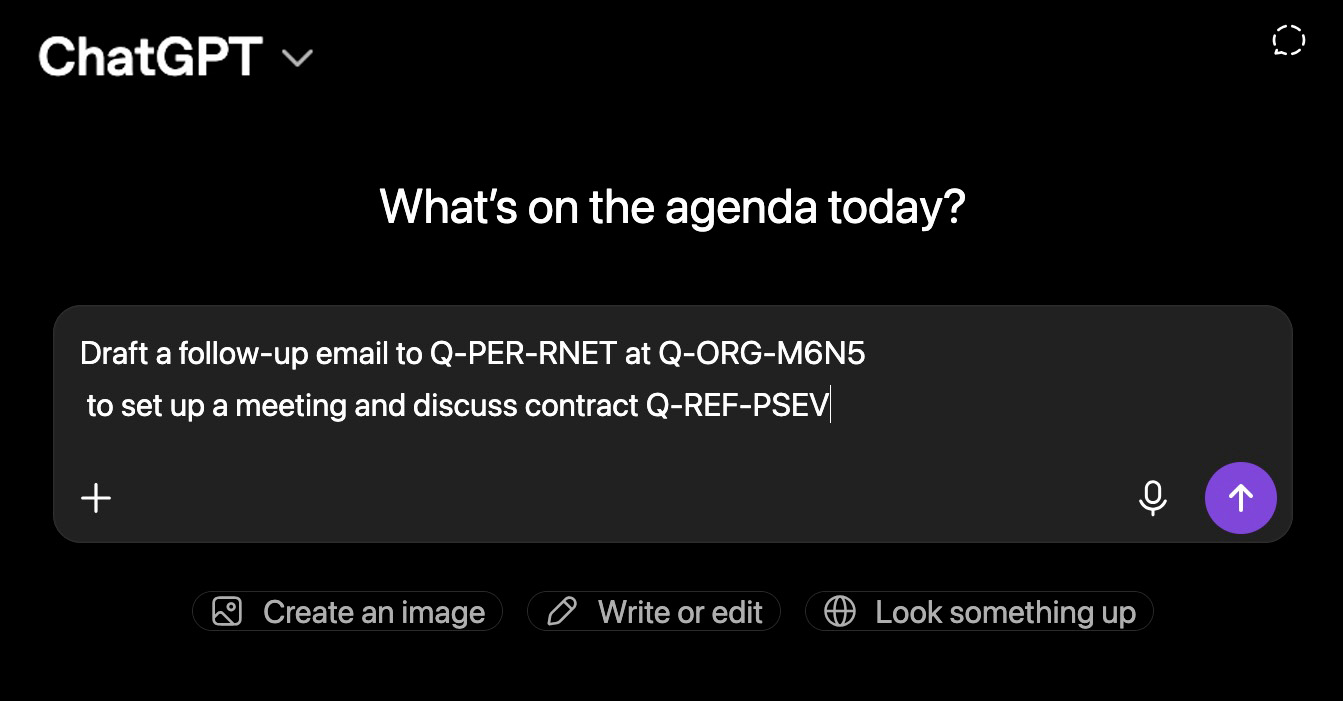
Quieta removes names, emails and sensitive data before your text reaches any AI.
Detects and redacts personal information (PII) before you paste it into ChatGPT, Claude, or any AI assistant
All anonymization happens on your device. No cloud, no server, no data transfer.
Upload PDF, DOCX, or plain text — all personal data is stripped before it reaches any AI
Names, emails, IDs, addresses — detected and masked automatically
Jane Smith → [NAME]
john.doe@email.com → ***@***.***
+1 555 123 4567 → +* *** *** ****
123 Main Street → [ADDRESS]
Saint Mary's Hospital, MIT → [ORGANIZATION]
SSN, account numbers, tax IDs → [SSN_1], ****-****
+ Your own rules: add project names, client names, or anything else you want masked.
Developers, lawyers, HR teams — anyone who can't afford a data leak
"I can share code with ChatGPT without worrying about leaking client data. Quieta.ai anonymizes everything automatically."
"Resumes are full of personal data. Quieta lets me run them through an LLM without exposing candidate details."
"I need AI for drafting, but client names can't end up in a training set. Quieta strips them out before anything leaves my screen."
LLMs are powerful — but every prompt you send could expose sensitive data.
Your name, your contacts, your conversations — you don't want them used to train a model or leaking into someone else's output.
Personal emails, contact details, client names — just because it's in your inbox doesn't mean it's yours to paste into ChatGPT.
Lawyers, doctors, HR professionals — your work demands confidentiality. Don't let an AI prompt break that trust.
Client names, internal projects, financials — do you really want open AI models to learn that much about your company?
Paste your text, let Quieta mask the sensitive parts, send it to any AI, then restore the original names in one click.
AI automatically identifies emails, phone numbers, names and all sensitive data in real-time
Intelligent masking that preserves context so AI can still help you effectively
Install and go. No complex setup, everything works from the first copy-paste
Available on macOS and Windows